 The Good Sign Company
Digital Counter-Sign Comparison
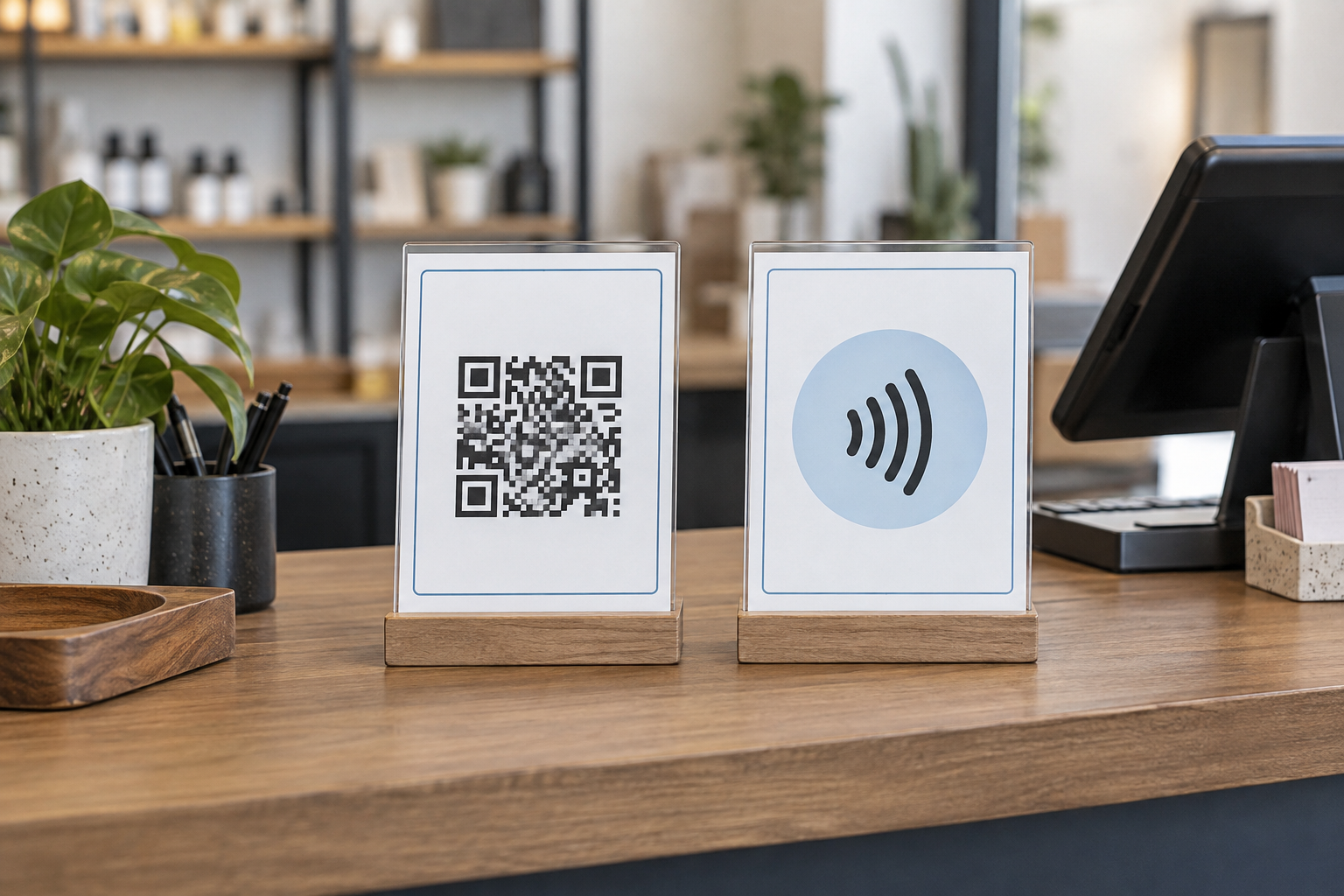
QR code sign vs NFC tap sign for a counter
A QR code gives customers a visible target they can scan from a short distance; an NFC sign asks them to bring a compatible device close enough to tap. Choose between them by the interaction your customers can understand, the devices and settings you can test, the counter space you control, and the fallback you will keep visible—not by which format feels newer.
Disclosure: As an Amazon Associate, we may earn from qualifying purchases and approved partner referrals.
Category shopping route
Compare complete signs, not just the code or tag.
Verify the finished sign dimensions, holder footprint, printed instructions, QR destination workflow, NFC tag type and setup instructions, supported surfaces, and how the destination can be checked or changed. Compatibility and behavior vary, so test the exact finished sign with the devices your organization supports.
The short answer
- Choose a QR code sign when the customer can see a clear scan target, hold a camera at a useful angle, and understand what will open before scanning.
- Choose an NFC tap sign when close interaction is natural, the tap location can be labeled precisely, and you can test the intended device mix and sign construction.
- Use both on one sign only when they share one destination and the instructions make the two routes feel like alternatives rather than separate tasks.
- Use neither as the only route when the message is essential at that moment. Keep a readable URL, short instruction, printed summary, or staff-assisted route available as appropriate.
This comparison covers buying and workflow criteria. It does not promise universal device compatibility, successful engagement, secure transactions, payment suitability, or accessibility compliance.
QR code vs NFC tap sign at a glance
| Decision point | QR code sign | NFC tap sign |
|---|---|---|
| Customer action | Open a camera or scanning tool, aim, and follow the displayed prompt | Bring a compatible device close to the labeled tap area and respond to the device prompt |
| Working distance | Can be attempted without touching the sign, subject to code size, angle, contrast, glare, and device behavior | Requires close positioning near the encoded tag; the effective interaction must be tested on the finished sign |
| Visible cue | The code itself is visible, but the destination and outcome still need words | The tag is not self-explanatory, so a tap symbol and concise instruction carry more of the communication |
| Physical build | Depends on a correctly produced code, readable print, and suitable display surface | Adds an encoded component whose placement and surrounding material must follow the product guidance |
| Testing focus | Scan at realistic distances, angles, light levels, and after destination changes | Tap at the marked position with the intended devices, cases, sign layers, and placement |
| Fallback | Readable destination or non-phone path for people who cannot or do not scan | Readable destination or alternate action for people whose device or settings do not complete the tap |
Start with the customer task
Write the promised outcome in one short line before choosing hardware: “View today’s menu,” “Join the waitlist,” or “Open check-in.” That instruction should describe the result, not merely say “scan me” or “tap here.” If the destination asks for more steps, permissions, or account details than the sign implies, neither format fixes the mismatch.
Map the interaction from the customer side of the counter. Note approach direction, reach, glare, payment equipment, merchandise, queue movement, and where a phone can be held without blocking another task. A code that is visible to staff but hidden behind a terminal is not well placed; an NFC marker that requires reaching across equipment is not a clean tap route.
What to verify before buying
- Finished dimensions: record the full sign and base footprint, not only the printed insert or encoded area.
- Destination ownership: use a maintained destination the organization controls or can reliably update. Document who owns the page, redirect, account, and renewal.
- QR production: preserve the code supplied by the chosen generator or platform, keep surrounding graphics from crowding it, and test the final printed size rather than a screen preview.
- NFC component: verify the tag product, intended use, setup method, placement instructions, and any material or mounting limitations stated by its maker.
- Visible instructions: name the action and outcome in plain language. Do not rely on an icon alone.
- Counter fit: check sightline, reach, reflections, cleaning access, base depth, and conflicts with checkout hardware.
- Revision path: know whether changing the destination requires editing a redirect, re-encoding a tag, reprinting a code, replacing an insert, or replacing the complete sign.
- Fallback: decide what customers will use when they cannot complete the scan or tap.
A practical test routine
- Build a plain prototype at the intended finished size and place it in the real counter position.
- Test from the normal customer approach, including the nearest and farthest useful positions for the QR route.
- Test NFC at the exact labeled point without assuming every device has the same antenna position, settings, prompt, or case behavior.
- Use a representative mix of devices and operating systems that the business can maintain; record what was tested and when.
- Follow the complete journey through the destination, not merely the first prompt. Check load time, mobile layout, page state, and whether the customer can finish the stated task.
- Repeat under the lighting and counter conditions that actually occur, then test again after moving the sign or changing its holder, print, cover, destination, or encoded component.
- Confirm that the fallback remains visible and understandable without completing a scan or tap.
No finite test proves universal compatibility. The goal is a documented, repeatable check for the actual sign, placement, destination, and device mix your organization expects to support.
When a combined QR and NFC sign makes sense
A combined sign can reduce friction when both routes open the same maintained destination and the physical layout gives each action a clear zone. Label the shared outcome once, then identify “Scan” beside the code and “Tap” beside the NFC target. Keep enough visual separation that a customer does not cover the code while searching for the tap point.
Skip the combined treatment when the two methods lead to different places, the sign becomes crowded, staff cannot explain the distinction consistently, or the extra component complicates updates without serving a measured need. One well-labeled, well-maintained route plus a visible fallback is often clearer than two poorly explained technologies.
Ownership, privacy, and maintenance questions
- Who controls the final destination and any redirect between the sign and that destination?
- Who can change the link, re-encode the approved tag, or order a replacement insert?
- Who tests the physical sign after website, domain, platform, account, or campaign changes?
- What customer information does the destination request, and has the appropriate organizational owner reviewed that flow?
- How will staff report a broken, altered, missing, or unexpected destination?
- When will the sign be retired, covered, or replaced if the destination is no longer maintained?
For payment, identity, personal-data, security, accessibility, or regulated workflows, involve the appropriate qualified reviewer. A generic counter-sign product listing does not establish that the complete digital process is suitable.
Who should skip each format?
- Skip a QR-only route when customers need the information immediately without a camera-mediated step or when glare and placement prevent a dependable test setup.
- Skip an NFC-only route when staff cannot support device variation, the tap location cannot be clearly marked, or the sign construction has not been tested with the selected tag.
- Skip both when the destination is temporary, unowned, slow, not usable on the expected devices, or collects information without the necessary internal review.
- Choose direct print when the message is short, stable, and more useful at a glance. The QR code sign vs printed menu guide covers that device-mediated versus direct-information decision.
- Pause the purchase when no one owns routine testing and retirement. A digital route is an ongoing content responsibility, not a one-time sign installation.
Final buying checklist
- Customer task and destination named in plain language
- QR, NFC, or combined route selected for a documented reason
- Complete sign dimensions and counter footprint measured
- QR print workflow or NFC tag instructions verified
- Interaction tested in the finished holder and actual placement
- Representative device test list and retest trigger documented
- Readable fallback available where the message is essential
- Destination, privacy, security, and content owners identified
- Replacement and retirement path recorded
The better counter sign is the one customers can understand and the organization can keep working. Define the outcome, prototype the real placement, test the complete journey, and keep a non-device path for essential information. For broader message, sightline, and stakeholder planning, continue to the small-business sign planning pillar.