 The Good Sign Company
Changeable Desktop Light Box Guide
Best desktop light boxes for changeable messages
Start with the longest message you actually need to display, then count every letter, space, symbol, and usable rail. A compact cinema-style light box can make short indoor messages easy to swap, but its face dimensions do not tell you whether the included characters, cabinet depth, brightness, and power route fit the desk or counter.
This is a category guide, not a hands-on ranking. Product sets and instructions change, so verify the current listing, included character inventory, complete dimensions, controls, and power directions before choosing.
Disclosure: As an Amazon Associate, we may earn from qualifying purchases and approved partner referrals.
Message-first category route
Compare the usable message system, not just the glowing face
Write the real message first. Then verify how many rows and characters fit, whether the set includes enough repeated letters, and how the cabinet, feet, controls, connector, and cord occupy the surface.
Best formats by message job
These are useful starting formats, not named winners. Remove any option whose current listing does not document the face, character set, power method, and complete footprint clearly.
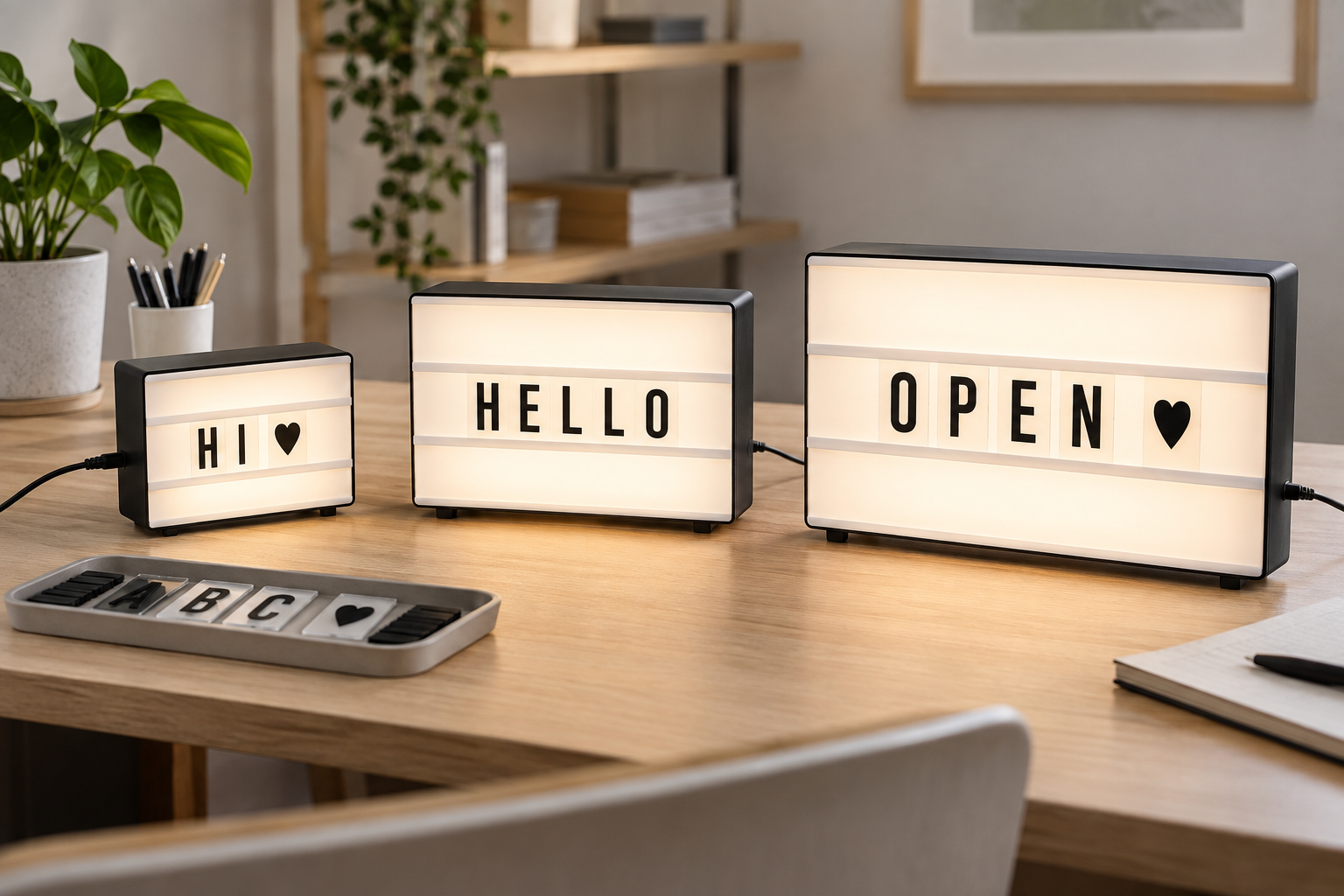
- Small one- or two-row boxes: best for very short desk labels and symbols. Their shallow visual footprint suits a shelf or desk, but the limited width makes repeated letters and word breaks especially important.
- Medium three-row boxes: best for a short greeting plus a second line. Extra rows can improve hierarchy without making the message longer. Check the usable characters per row rather than assuming the full face width accepts letters.
- Wide boxes: best for one concise line that should read from farther across an indoor room. The wider cabinet needs more surface area and may compete with monitors, register equipment, paperwork, or merchandise.
- Boxes with organized character storage: best for frequent planned updates. A divided tray or case can reduce sorting time, but only if it fits the actual letter set and has a practical place near the display.
Do a message inventory before shopping
- Write three realistic messages. Include the longest message, the most common message, and one seasonal or status update.
- Count repeated characters. Words with multiple E, L, O, or number characters can exceed an included set even when the message fits the rows.
- Check usable rows and rail width. Listing dimensions may describe the outer cabinet. Look for the actual changeable area, supported tile size, and documented characters per row.
- Plan storage and handling. Decide where unused letters live and whether the front loads without moving other desk or counter objects.
- Mock up the complete cabinet. Mark its width, height, and depth on the surface, including feet, controls, connector clearance, and the first bend in the cord.
Selection criteria that matter
- Character inventory: verify letters, numbers, punctuation, symbols, colors, duplicates, and tile dimensions from the current contents list.
- Readability: test the intended wording at the real viewing distance. More words usually mean smaller-looking, busier rows.
- Ambient light and controls: compare the display in the room conditions where it will be used. Confirm how it switches, dims, or changes modes without assuming every model has the same controls.
- Power route: identify the documented input method, included components, connector location, outlet or USB source, cord path, and access to the control.
- Complete footprint: measure the cabinet and supporting feet or stand. Leave room to change letters without pushing the box toward the edge.
- Update routine: consider how often someone must sort, align, remove, and store small character tiles. A fun occasional task can become friction when a message changes daily.
- Cleaning instructions: follow the maker's directions for the face, grooves, cabinet, and loose pieces; do not infer a method from appearance alone.
When to skip a desktop light box
- Skip it when the required message will not fit comfortably within the documented rows and included character set.
- Choose a printed insert or fixed sign when the message rarely changes and loose-letter storage adds unnecessary work.
- Choose a non-lighted letter board when a cord, power source, glow, or control routine does not suit the indoor setting.
- Use a different format when the full cabinet crowds the work surface, interferes with customer transactions, or cannot be placed where readers naturally look.
- Pause when the listing omits complete dimensions, character contents, power directions, indoor-use guidance, or setup instructions.
Keep desktop message boxes separate from custom light boxes
A desktop cinema-style box is built around reusable loose characters and a deliberately temporary message. A custom light box is a different route when the fixed wording, artwork, proportions, and finished face should belong to one project. If custom work fits better, prepare the wall or counter dimensions, exact wording, viewing distance, room light, and power location before contacting a provider; do not assume a decor product is suitable for regulated or exterior business signage.
For desk placement specifically, compare a plug-in light box with a USB-powered desk sign. For a counter with a different update method, review LED message-board formats.
The practical bottom line
The best desktop light box is the one that carries your real message with the documented character set, fits the measured surface as a complete powered object, remains readable in the actual room, and has an update routine someone will maintain. If any of those checks fail, a printed insert, non-lighted board, or fixed sign is the clearer choice.