 The Good Sign Company
Indoor illuminated-sign comparison
Plug-in light box vs USB-powered desk sign: choose the placement first
Choose a plug-in light box when the sign has a settled wall or shelf position and its supplied power route fits that location. Choose a USB-powered desk sign when a compact footprint and easy relocation matter more. “USB-powered” describes a connection, not a complete setup: the cable, adapter or other supported source, controls, and maker instructions still need to match.
Disclosure: As an Amazon Associate, we may earn from qualifying purchases and approved partner referrals.
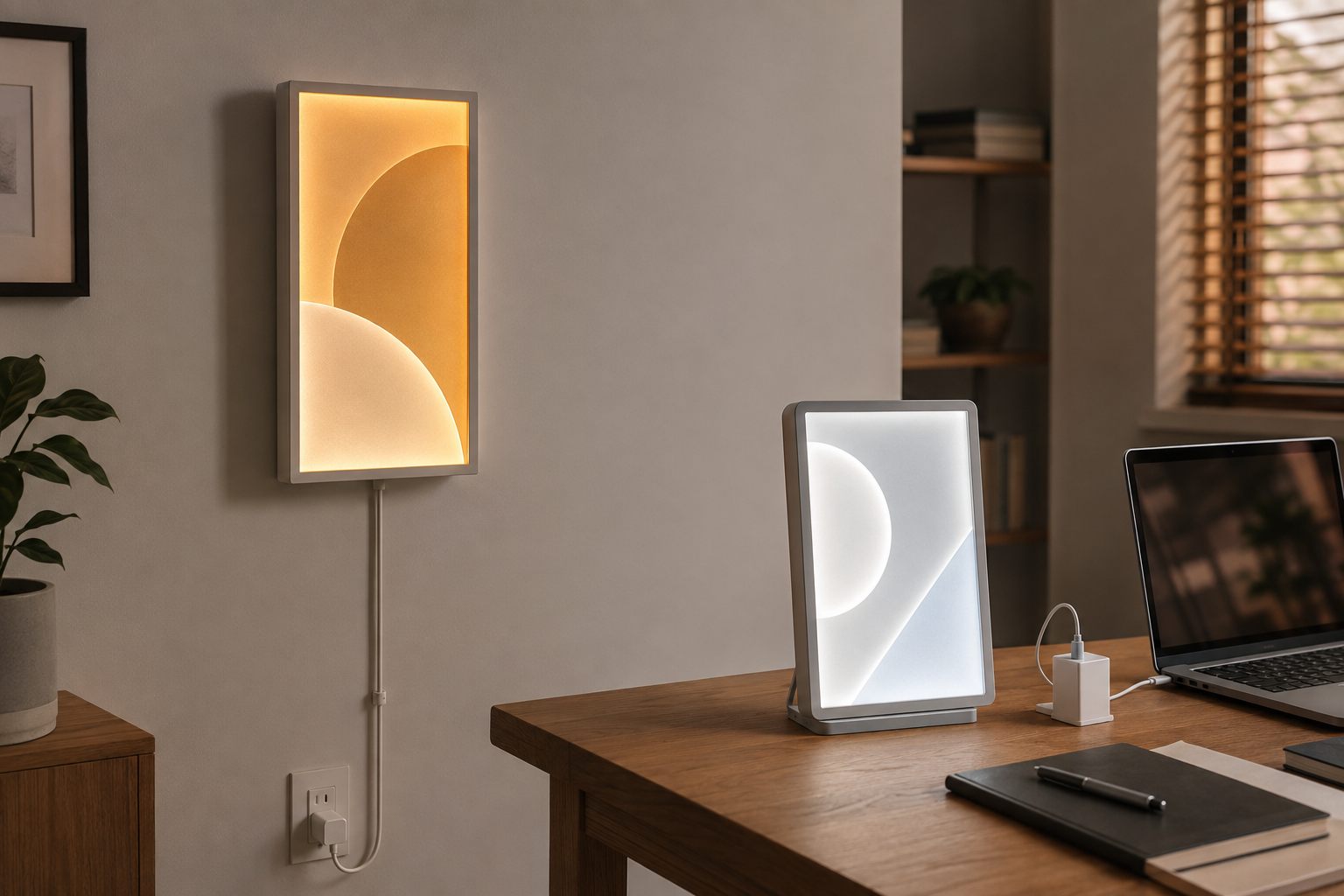
Compare the complete product, not just the plug
On each current listing, verify finished dimensions, base or mounting method, stated input, included cable and adapter, cord length, controls, indoor-use instructions, and every part required to operate the sign.
Quick decision
- Choose the plug-in light box for a stable display with a verified outlet and cord route, enough wall or shelf area, and no need for frequent moves.
- Choose the USB desk sign for a smaller movable display when the exact sign, cable, and supported power source can stay together.
- Choose neither when either cable would cross a walking path, interfere with desk work, or depend on parts the product maker does not specify.
- Use a non-lighted sign when the message already reads clearly in the room and added power would only complicate placement.
The practical differences
| Decision | Plug-in light box | USB-powered desk sign |
|---|---|---|
| Natural location | A settled wall, shelf, or counter position within the reach allowed by the supplied power arrangement. | A desk, shelf, or counter with enough clear surface area for the sign, base, cable, and supported source. |
| Power checklist | Confirm the supplied cord, plug or adapter, switch or controller, outlet reach, and product instructions. | Confirm the required USB input, connector at both ends, included cable, supported adapter or source, and instructions. |
| Space cost | Wall mounting preserves desk area but adds hardware and a visible vertical cable route; shelf models still need depth. | A freestanding base avoids wall hardware but occupies working surface and can compete with a monitor, keyboard, or charging gear. |
| Moving it | Less convenient when mounted or when the cord route is deliberately concealed. | Often easier to relocate, provided all required power parts move with it and the new position still fits the instructions. |
| Message format | May offer a larger fixed face or changeable insert, depending on the exact product. | Often prioritizes a compact face; verify character area, graphic dimensions, and whether the message is fixed or changeable. |
USB is a connector, not a portability promise
Do not assume that any USB port, laptop, charger, battery pack, or adapter is suitable. Read the sign maker's stated input and included-parts list, then use only a supported power arrangement. A cable that physically fits does not establish electrical compatibility, and this comparison is not a safety certification.
If the listing says an adapter is not included, treat that as a real part of the purchase decision. Record the required input, connector, cable length, control location, and whether unplugging the sign resets any settings. Avoid hiding adapters where controls, ventilation, or routine inspection become difficult.
Mock up the entire footprint and cord route
- Cut a paper rectangle to the stated sign dimensions and, for a desk model, mark the complete base depth.
- Place it at the normal viewing angle and check the message area rather than the outer frame alone.
- Mark the connector exit, controller, adapter, and outlet or supported power-source position.
- Route a spare cord of the stated length through the proposed path without stretching it or crossing a walkway, door, heat source, moving chair, or wet area.
- Check access to desk drawers, equipment vents, switches, and the connector before choosing the format.
Match the controls to how the room is used
Compare the exact on/off method, brightness settings, memory behavior if stated, and control position. A wall light box can be frustrating if its switch lands behind furniture. A small desk sign can be equally awkward when the controller dangles below the desk or the USB source disappears whenever a laptop moves.
For a camera background, test a paper mockup in the actual camera crop and remember that a bright face may render differently on camera than in person. The desk-background light-box guide covers scale, glare, and framing; the edge-lit acrylic versus LED message-board comparison helps when fixed versus frequently changed content is the bigger question.
Who should skip each format?
- Skip the plug-in light box when mounting or the supplied cord route does not fit the intended indoor location.
- Skip the USB desk sign when surface depth is already committed to work, equipment, customer transactions, or airflow.
- Skip either product when the listing does not clearly identify the required power arrangement and included parts.
- Skip illuminated decor when a printed or engraved sign solves the message without glare, controls, cables, or another powered device.
- Stop and use qualified help if the project goes beyond an ordinary portable product used according to its instructions or requires changes to the electrical installation.
The bottom line
A plug-in light box earns its fixed position when wall or shelf space, outlet reach, and controls all line up. A USB desk sign is the stronger route when a compact movable display fits the surface and its complete supported power setup is easy to keep together. Measure first, verify every included part, and choose the format whose everyday cable and control routine is least likely to become clutter.
For the broader sign decision, use the custom light-box planning guide. If the real choice is continuous plug-in use versus battery upkeep rather than mains versus USB connection, continue to the plug-in versus battery-powered sign comparison.